In this article, you'll learn how to delete a conversation from your inbox, find it again later, and mark threads read or unread. It's how you keep the inbox down to the people you still need to answer.
To open your conversations:
- In the menu, click Conversations.
Deleting a conversation
Deleting a conversation takes the thread out of your inbox. Nothing is lost. The texts, emails and calls stay on the contact's history.
On the web
- Click the conversation to open it.
- At the top of the thread, click the bin icon (Delete conversation).
- Your browser asks you to confirm. Click OK.
The thread drops out of your list.
On the phone app
- Press and hold the conversation in your list.
- Tap Delete Conversation.
- Tap Delete to confirm.
Seeing deleted conversations again
Deleted threads are only hidden from the inbox, so you can look at them any time.
- Next to the search box, click the filter icon.
- Tick Deleted.
Deleted threads show up with a grey Deleted pill under the name. Untick Active if you want to see only the deleted ones, and untick Deleted to go back to your normal inbox. On the phone app, tap the same filter icon and tap Deleted in the sheet.
Marking a conversation read or unread
Opening a thread doesn't clear it. Its count drops back to 1 and it stays unread until someone replies or you mark it read yourself, so nothing slips past just because you glanced at it.
On the web
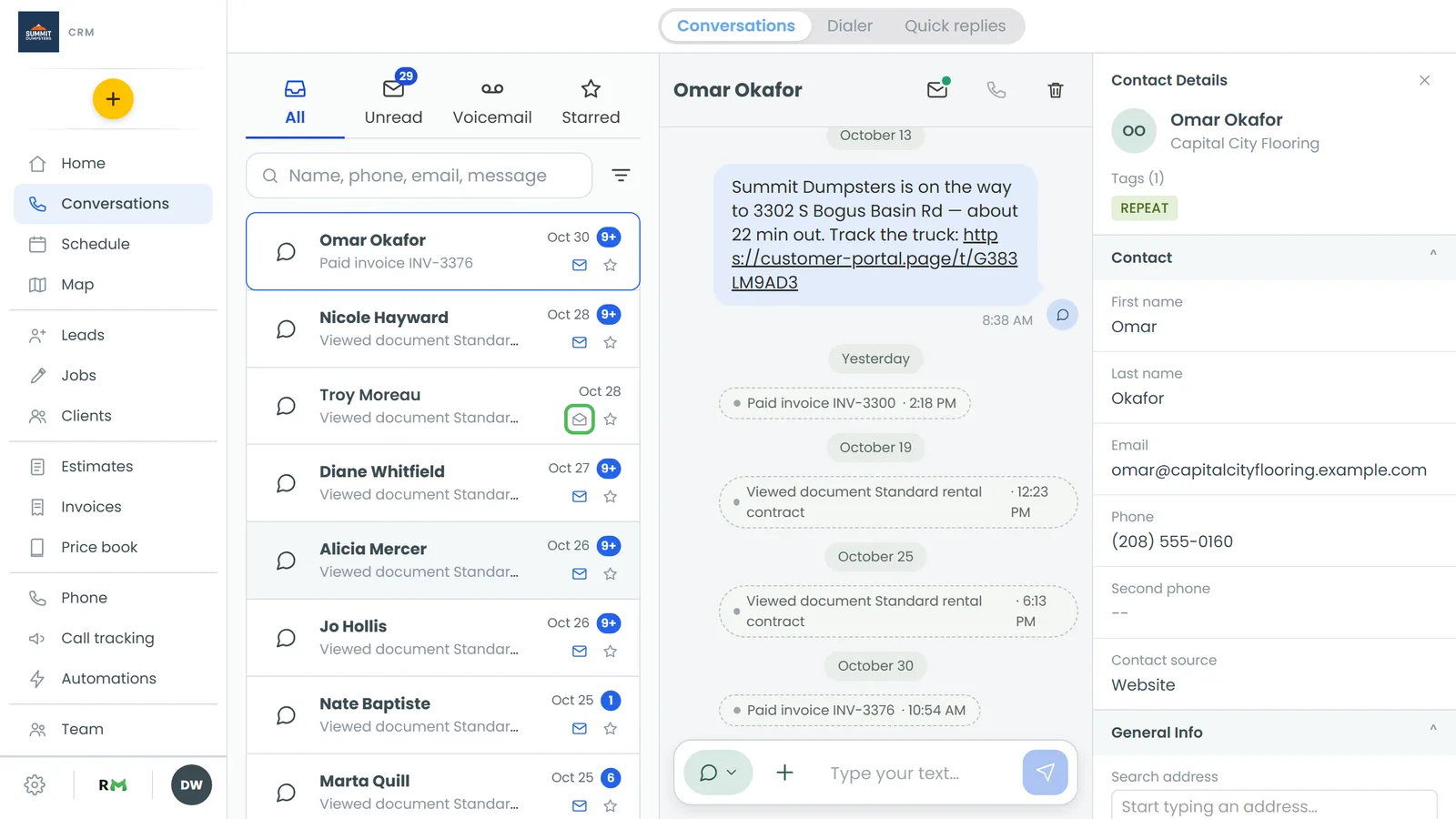
- In the list, click the envelope on the conversation's row. A closed envelope means unread, an open one means read.
- Inside an open thread, the envelope at the top does the same thing (Mark as unread / Mark as read).
Unread threads show in bold with a blue count, and they're all collected on the Unread tab.
On the phone app
- Swipe the conversation to the right.
- Let go once Read or Unread appears.
You can also press and hold the conversation and tap Mark as read or Mark as unread.
Hiding voicemails
Voicemails on the Voicemail tab don't get deleted. You hide them instead.
- Open the Voicemail tab.
- On the phone app or a touch screen, swipe the voicemail to the left and let go. With a mouse, hover over the row and click Hide.
To see hidden voicemails, click the filter icon and tick Hidden. They wear a grey Hidden pill, and the same swipe or button says Unhide. The call, recording and transcript stay on the contact's history either way.