In this article, you'll get short answers to the questions people ask most about online booking. If you're wondering why a time didn't show up, or what happens when two customers go for the same slot, you'll probably find it here.
Most of these answers come down to settings on one page in your Review Monster dashboard.
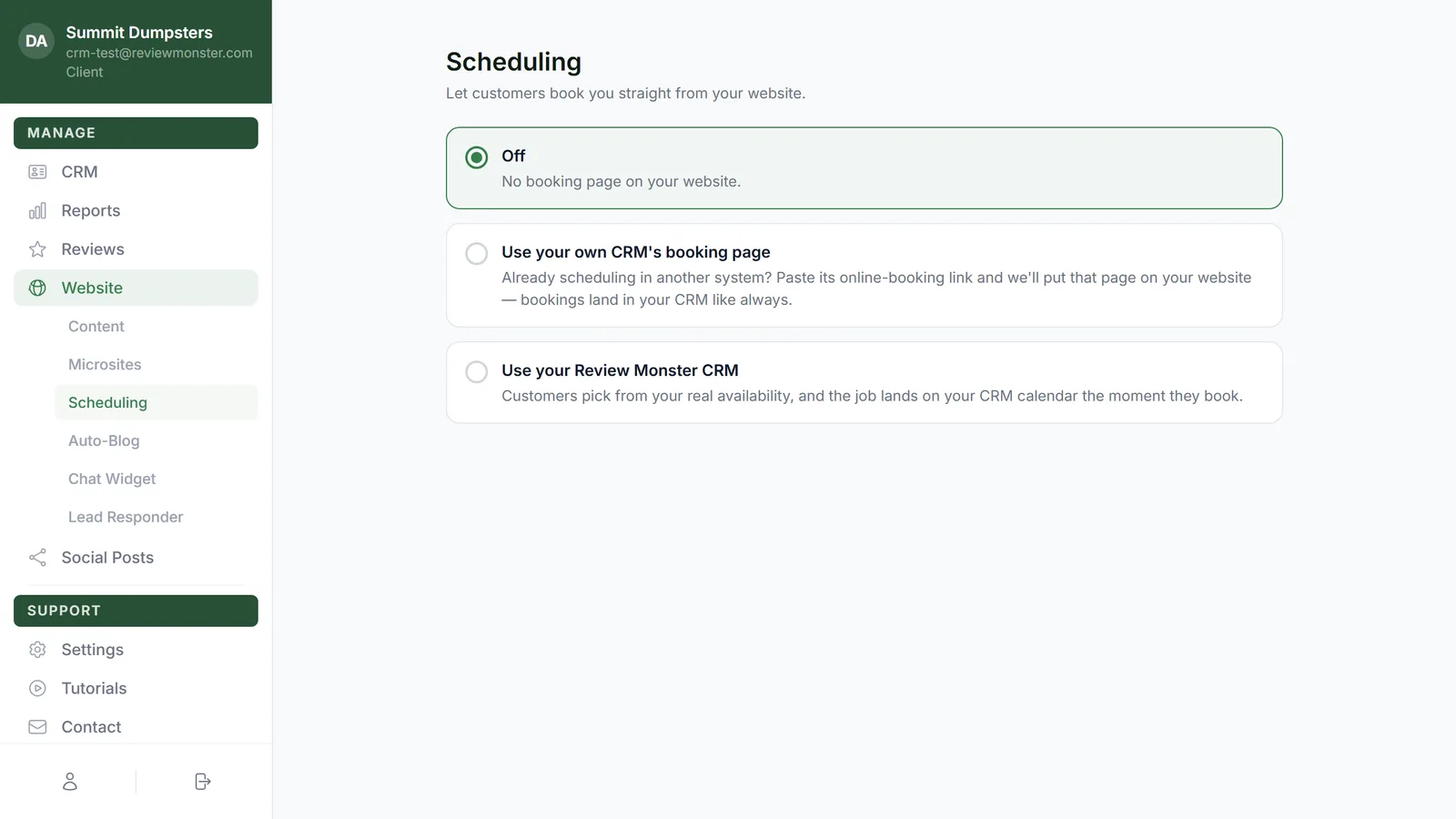
To open your booking settings:
- In the dashboard menu, click Website.
- Click Scheduling.
Can I make customers pay or leave a deposit to book?
No. The booking page doesn't take a payment or a deposit. The customer picks a time and gives their details, and that's it.
If you want money up front, collect it through an estimate instead. You can ask for a deposit on the estimate, and the customer pays it when they approve. See How to request deposits on estimates.
Can two people book the same time?
Only as many as you allow. Under Appointment slots, the Bookings per time slot number sets how many jobs can share one time before it stops being offered. Set it to 0 if you're fine with double-booking and never want a time to fill up.
When a customer confirms, the system checks the time one more time. If someone else just took the last opening, the second customer sees "That time was just taken — pick another." and nothing is booked for them.
Do holidays block booking?
Yes, by default. Customers can't book on US federal holidays unless you turn on Bookable on holidays in the When customers can book section.
Can I use another system's booking page?
Yes. If you already schedule in another system, you can put its booking page on your website instead.
- On the Scheduling page, click Use your own CRM's booking page.
- Paste the link into Booking page link.
- Click Save.
Do my microsites get online booking?
They follow your main site. A booking made from a microsite uses the same calendar and the same settings as your main website, and the booking notes which microsite it came from.
What if the customer's phone number can't get texts?
The booking still saves. The customer just doesn't get a confirmation text. The office alert for that booking notes that the number can't receive texts and no confirmation was sent, so you know to reach out another way. The same goes for an email address that bounces.
If the phone number doesn't look real and there's no working email, the booking isn't taken. The customer is asked to check their details and try again.
Is there a Google or Reserve with Google connection?
No. Online booking works through the booking page on your website. It doesn't connect to Google's booking features.