In this article, you'll learn how to get the texts your CRM line receives on another phone, like your own cell. It's handy when you're out on a job and want customer texts to show up in your regular messages app.
There's no separate setting for forwarding texts. Texts follow your call forwarding: when a number has somewhere to forward its calls, the texts to that number go there too, pictures included.
To open a number's forwarding settings:
- Go to Settings > Phone numbers.
- Find your line under CRM number and click Edit. In the phone app, tap Call settings.
Forward texts all the time
- With the number open, click the Ringing & forwarding tab. In the phone app it's the Ringing tab.
- Under Call forwarding, enter the phone number you want texts sent to.
- Click Save.
From now on, every text to this line is passed on to that number. The same number also gets the line's calls when nobody you've set to ring picks up. To stop forwarding, clear Call forwarding and save.
Forward texts only while you're closed
If you'd rather get texts on your phone only outside business hours:
- With the number open, click the Hours tab.
- Under After hours, choose Forward to another number. In the phone app, tap Forward.
- Enter the phone number to forward to.
- Click Save.
While the line is closed (outside its hours, or on a closed day), texts are passed on to that number. During business hours they aren't, unless you've also filled in Call forwarding.
Forward everything for a while
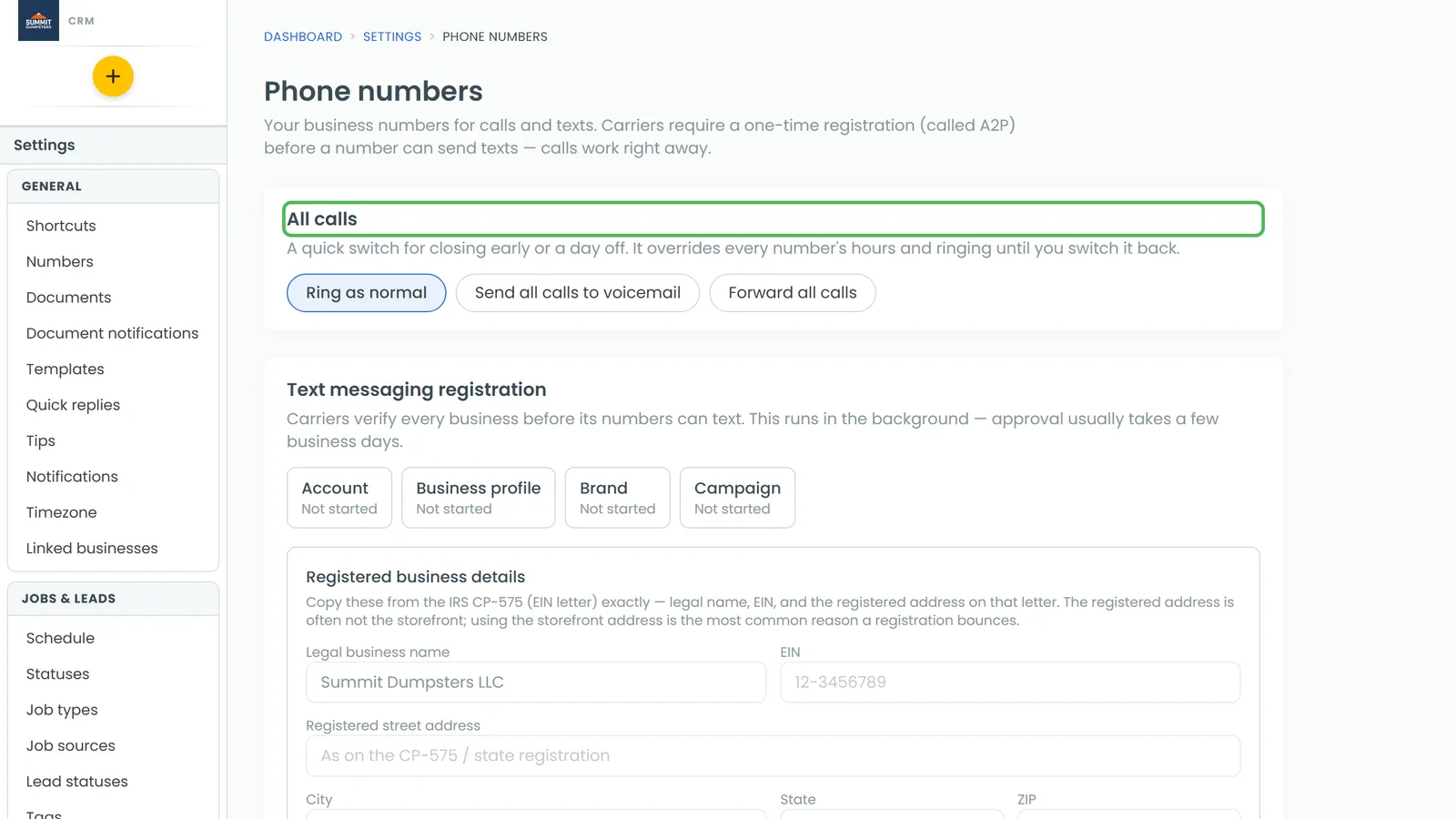
The All calls card at the top of the Phone numbers page is a quick switch for days off. It overrides every number's own settings until you switch it back.
- In the All calls card, click Forward all calls.
- Enter the number to forward to.
- Click Turn on.
Every call and every text, pictures included, now goes to that number. Click Ring as normal to switch it off.
Choosing Send all calls to voicemail (All to voicemail in the phone app) forwards nothing. No texts are passed on while it's on.
What the forwarded text looks like
The copy comes from your CRM line, not from the customer. It starts with a line saying who it's from, then the message:
- "Text to (your business name) from Jane Doe (208) 555-0100:" followed by what they wrote.
- If the sender isn't saved as a contact, you'll see just their number.
- Pictures they sent come along with it.
Good to know
- The original text still lands in Conversations as normal. Forwarding just sends a copy.
- Texts to your Reviews number aren't forwarded.
- Texts from numbers you've blocked aren't forwarded either.
- Nothing is forwarded if the forwarding number is one of your own business numbers, or if the text came from the forwarding phone itself. That stops texts bouncing back and forth.