What to Say When Asking for a Google Review (Templates)
What to say when asking for a Google review: simple text and email templates, when to send them, and the lines Google and the FTC say you can't cross.

When you're working out what to say when asking for a Google review, keep it short and honest: thank the customer, tell them a review helps other people decide whether to hire you, and give them one direct link. Send it soon after the job is done, ask every customer and not just the happy ones, and don't offer anything in return.
That's the whole answer. The rest of this post covers the wording, the timing and the few lines you can't cross.
Most owners already know they need reviews. What they struggle with is the asking. It feels awkward, so either it never happens or it turns into a long, apologetic paragraph nobody reads to the end.
What to say when asking for a Google review
A good request has three parts, and none of them need to be clever.
- A thank-you. One line, like "Thanks for having us out today" or "Thanks for coming in."
- The honest reason. Reviews help other people feel confident choosing you. That's true, and customers get it.
- One link. Not your homepage or a list of review sites. Just the direct Google link.
Darren Shaw at Whitespark has a template built on that same shape. It thanks the customer, says reviews "help others to feel confident" about choosing the business, asks if they could "take 60 seconds," and gives a direct link. It works because the request is small and easy to say yes to.
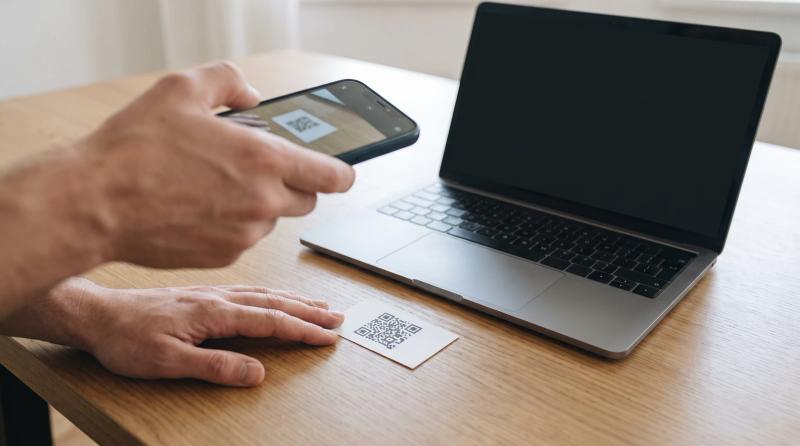
Getting your link takes a minute. Google's help page says to open your Business Profile, select Read Reviews, then Get more reviews, and copy the link or save the QR code. The same page notes the QR code can only be generated in a computer browser, not on a phone. Google also says outright that you can ask customers to visit a Google link or scan a QR code, so you're on the approved route.
Heads up: Customers must be signed into a Google Account to leave a review. If someone says your link didn't work, that's the first thing to check.
A Google review request template you can copy
Here's a text version. Swap in your own details.
Hi Dana, thanks for having us out to fix the water heater today. If you've got a minute, a Google review really helps other people around here decide who to call. Here's the link: [your link]. Thanks again.
For email, Shaw recommends a personal subject line phrased as a question, something like Dana, a quick favor? Then keep the body almost as short as the text:
Hi Dana, thanks again for choosing us. Reviews from customers like you help other people feel confident picking a local business, and they really help us grow. Could you take a minute to leave one on Google? Here's the direct link: [your link]. A sentence or two is plenty.
That last line matters. Whitespark's template says a short review is equally appreciated, and telling people that lowers the bar.
If you run long jobs, like roofing or remodeling, wait until the work is actually finished before you ask, not halfway through.
When to send it
Shaw's advice is to send it shortly after you've finished the project, while the experience is still fresh. He also says a quick verbal ask in person, followed by an email, can really increase your success rate.
Just keep the in-person part to a heads-up. Mention that a link is coming, and let them leave the review later on their own time.
How to ask customers for Google reviews without breaking the rules
This is where well-meaning owners get burned. Google's rules are stricter than most people expect.
Don't offer anything in return. Google bans offering free or discounted goods or services for reviews, and its Maps policy covers payment, discounts, free goods and/or services for any review at all. The FTC's rule, which went into effect on October 21, 2024, only bans incentives that depend on the review being positive or negative. The FTC rule doesn't prohibit neutral incentives, but Google does, and for Google reviews Google's rule is the one that counts. Shaw describes a law firm that had over 100 reviews removed from Google after running a review contest.
Ask everyone, not just the happy ones. Google's policy bans businesses that selectively solicit positive reviews. The FTC rule doesn't specifically ban this, but the FTC says the practice could violate the FTC Act.
Don't tell them what to write. Google says merchants shouldn't request that specific content be included. So don't ask for your service name, your city or a keyword. What about open-ended prompts like "what stood out to you?" Google doesn't say whether those count. If you use them at all, keep them clearly optional.
Don't pressure people on the spot. The same policy says you shouldn't pressure users to leave ratings or write reviews while on the premises. Handing someone a tablet at the counter and waiting for them to finish is exactly the kind of thing to avoid.
Don't give your staff quotas. Google's policy names merchants requesting that staff solicit a certain number of reviews as a prohibited practice. Have your team ask every customer, but don't set them a number.
The FTC side has real teeth too. Courts can impose civil penalties for knowing violations, and the rule bans using groundless legal threats or intimidation to stop or remove a negative review.
Will customers actually do it?
More than you might think. BrightLocal's 2026 survey found 78% of consumers were asked to write a review in the last 12 months, and 28% say they'll always write one if asked, up from 16% the year before.
So asking isn't weird. Your customers are used to it. The ones who never get asked are the ones who never review.
If someone doesn't respond, one polite reminder is reasonable. Past that, let it go. And if a customer was unhappy, still send the same request. A fair, honest review you answered well is worth more than a profile that looks filtered.
The short version
Thank them, tell them why it helps, send one link soon after the job, and ask everyone the same way. No rewards, no scripts, no pressure.
If remembering to send every request is the part that keeps slipping, that's the problem Review Monster was built for. It sends review requests by text and email after each job, so nobody has to remember. Have a look at reviewmonster.com if that sounds useful.
Sources
- How to Get Keywords in Your Reviews – Whitespark Local Insider — Whitespark, Darren Shaw
- Create a Google link or QR code to request reviews — Google Business Profile Help
- Tips to get more reviews - Google Business Profile Help — Google Business Profile Help
- What's the Best Way to Ask For a Review? — Whitespark, Darren Shaw
- Prohibited & restricted content - Maps User Generated Content Policy Help — Google Maps User Generated Content Policy Help
- The Consumer Reviews and Testimonials Rule: Questions and Answers — Federal Trade Commission
- Federal Trade Commission Announces Final Rule Banning Fake Reviews and Testimonials — Federal Trade Commission
- Local Consumer Review Survey 2026: Star Ratings Keep Rising, Old Reviews Don't Cut It — BrightLocal, Rosie Murphy
Want help with review automation?
Review Monster runs your review requests, listings and website in the background, so you can stay on the job.