How to Get More Google Reviews for Free: A Simple Plan
By Eric Hinderager, owner of Review Monster
How to get more Google reviews for free: find your link and QR code, ask every customer steadily, reply well, and skip the tactics Google bans.

How to get more Google reviews for free comes down to one habit: ask every customer. Use the link or QR code Google gives you in your Google Business Profile, the listing people used to call GMB. Put the link on receipts, in thank-you emails and at the end of chats. Print the code and show it at your location.
Then keep asking at a steady pace, reply to what you get, and skip the banned shortcuts. That's the whole system. The hard part is doing it every week.
How do you get more Google reviews for free?
Ask plainly, and ask everyone. Google's own help page says to send customers a link or have them scan a code. That's the simplest way to get free Google reviews. You don't need a paid tool for it.
Does asking work? BrightLocal's consumer survey found that a lot of people who were asked to leave a review went on to leave one. The same survey says plenty of people get asked for feedback by businesses. So your rivals are likely asking already.
Where do I find my link?
Your link lives inside your Business Profile. Google says to pick Read Reviews, then Get more reviews. From there you can copy the link or save the QR code.
It's a direct link that opens the rating box, so customers don't have to search for you. Some sites offer a free Google review link generator tool. Most build the same kind of link Google already gives you, so test it on your own phone before you send it out.
Heads up: Google says the QR code can only be made in a computer browser for now, not on a phone. If you can't find the option on your phone, sit down at a laptop.
Google's page doesn't say if your Business Profile must be verified first. You do have to verify before you can reply, so if you haven't yet, it's worth doing now.
Where should you share it?
Share the link anywhere a customer already hears from you after the work is done. Google suggests the first four spots below. A text works too.
| Spot | How it works |
|---|---|
| Receipt | Add the link or code to paper or email receipts |
| Thank-you email | Ask for reviews via email once the job is done |
| End of a chat | Paste the link before you close the chat |
| Printed code | Set it by the register or front desk |
| Text message | Send the link by SMS with a short thank-you |
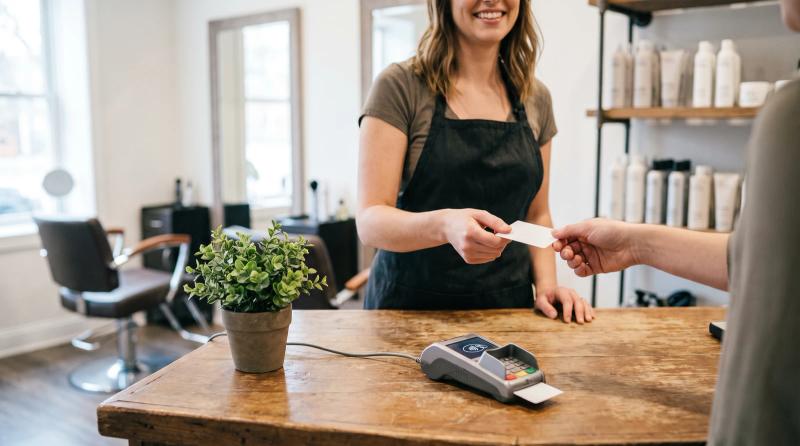
Pick the ones that fit how you work. A plumber can drop the link into the thank-you message after a job. A salon with regulars can keep the code by the register. A roofer on a long job should wait until the work is done and the customer has seen the new roof.
Good to know: People have to be signed into a Google Account to post. Those on older phones or software may have trouble, and Google suggests updating the Maps app.
Why isn't a new rating showing up yet?
A new review can take a few days to appear because Google checks it against its rules first. Google also says it sometimes turns the feature off for a while on some profiles or business types. Give it a few days before you assume something went wrong.
How do I boost my Google reviews over time?
How often should you ask?
Ask all the time, not in bursts. Whitespark's Local Search Ranking Factors survey lists a steady flow of reviews over time, rather than bursts, as a local pack factor.
Joy Hawkins at Sterling Sky has written that rankings can drop. It can happen if a business stops getting new ones for even a few weeks. Her advice is to keep pace with your competitors. If they get new ones every week, you should too.
Customers care about fresh ones, too. BrightLocal found that a lot of people look for recent reviews. A pile of old five-star ratings just doesn't carry the same weight.
A simple weekly routine looks like this:
- Ask every customer when the job is done, not just the ones you think liked it.
- Send the link the same day, by text or email, while the visit is fresh.
- Send one polite reminder if a customer doesn't get to it.
- Read what's new each week and reply to all of it.
If that's hard to manage on busy weeks, you can implement automated review requests using tools that send the link for you. Just make sure every customer gets the same request.
How should you reply?
Reply like a person, not a template. Google says positive reviews and helpful replies can help your business stand out. Its tips page also says not to send the same thank-you to everyone, and not to use replies to push deals.
People notice. BrightLocal found that people are more likely to use a business that replies to all of its reviews. It also found that canned replies put a lot of them off. A short response that names the actual job beats a pasted line.
Bad ones deserve a reply too. Respond calmly, thank them for the customer feedback, and say what you'll fix. A fair complaint can teach you a lot, and people reading your reply learn how you handle problems.
What else affects your ranking?
Ratings are one piece of local SEO. Your Business Profile, your website and each citation count too. A citation is any site that lists your name, address and phone, and each one should match your profile word for word.
Some people say Google reviews can boost your business completely on their own. They can't. Google says more reviews and positive ratings can help your ranking, and nobody can honestly promise more than that. Paid SEO services and digital marketing can help with the other parts. Asking costs nothing.
What's not allowed when you ask?
Asking is free, but some ways of asking can backfire and get posts taken down. Google's rules and the FTC both draw lines here:
- No rewards. Google bans offering discounts, freebies or anything else for posting, changing or removing a review. The FTC's rule has been in effect since October 21, 2024. It also bans rewards tied to a good or bad rating.
- No gating. Google's Maps content policy bans asking only happy customers or talking people out of a bad rating. The FTC's guide for marketers says the same thing.
- No pressure on-site. Google says not to require or pressure people to post while they're at your business.
- No scripts. Google says not to tell people what to write.
- No hidden staff posts. Google treats posts from current or former employees as a conflict of interest. The FTC rule bans insider posts that don't clearly disclose the connection.
- No non-customers. The FTC says not to ask people who haven't used your product or service.
Why take this so seriously? Google says posts removed for breaking its rules won't be restored. And under the FTC rule, courts can fine businesses for knowing violations.
Worth asking: If someone sets up your requests for you, ask whether every customer gets the same message or only the ones who seemed pleased. The second one is gating, and Google bans it.
Frequently asked questions
Do you get anything for leaving a review?
No, and a business shouldn't offer anything. Google bans rewards like free or discounted goods or services for posting. That holds even if you never ask for a good rating.
Can my staff rate my business on Google?
It's best not to ask them. Google treats posts from current or former employees as a conflict of interest. The FTC rule also bans insider posts that don't disclose the connection.
Do I need to pay for software?
No. The link and code come free from Google, so you don't need a free Google review link generator tool either. Paid tools mostly handle the sending and reminders so you don't have to remember on busy days.
Do more reviews help my ranking?
Google says they can help your local ranking. Sterling Sky has seen small ranking bumps in some cases as businesses picked up more reviews. Still, nobody can promise you a set result.
Start with your next customer
You don't need a budget for this. Grab your link, put it where customers already hear from you, ask every one of them, and keep going week after week. That's how you collect reviews steadily without paying for them.
Related reading: What to Say When Asking for a Google Review (Templates) and Discounts for Google Reviews: Legal, but Is It Allowed?.
The tricky part is staying steady when things get busy. That's the part Review Monster's Review Automation handles. If you'd rather not keep track yourself, take a look at reviewmonster.com. And if you'd rather do it by hand, the free method above works fine.
Sources
- Tips to get more reviews - Google Business Profile Help — Google Business Profile Help
- Local Consumer Review Survey 2026: Star Ratings Keep Rising, Old Reviews Don't Cut It — BrightLocal, Rosie Murphy
- Create a Google link or QR code to request reviews - Google Business Profile Help — Google Business Profile Help
- Manage customer reviews - Google Business Profile Help — Google Business Profile Help
- About missing or delayed reviews - Google Business Profile Help — Google Business Profile Help
- Whitespark's Official 2026 Local Search Ranking Factors Report — Whitespark, Darren Shaw
- [2025 UPDATE: Does the Number of Google Reviews Impact Ranking? [Case Study]](https://www.sterlingsky.ca/number-of-reviews-impact-ranking/) — Sterling Sky, Joy Hawkins
- [Review Recency: Does it Impact Ranking? [Case Study]](https://www.sterlingsky.ca/google-review-recency-ranking/) — Sterling Sky, Joy Hawkins
- Tips to improve your local ranking on Google - Google Business Profile Help — Google Business Profile Help
- The Consumer Reviews and Testimonials Rule: Questions and Answers — Federal Trade Commission
- Prohibited & restricted content - Maps User Generated Content Policy Help — Google Maps User Generated Content Policy
- Soliciting and Paying for Online Reviews: A Guide for Marketers — Federal Trade Commission
- Federal Trade Commission Announces Final Rule Banning Fake Reviews and Testimonials — Federal Trade Commission
Want help with review automation?
Review Monster runs your review requests, listings and website in the background, so you can stay on the job.