In this article, you'll learn how to send a team member a link to set a new password. It's what you reach for when someone on your crew forgets theirs or gets locked out. You never see or pick the password yourself. The CRM emails them a link and they choose it.
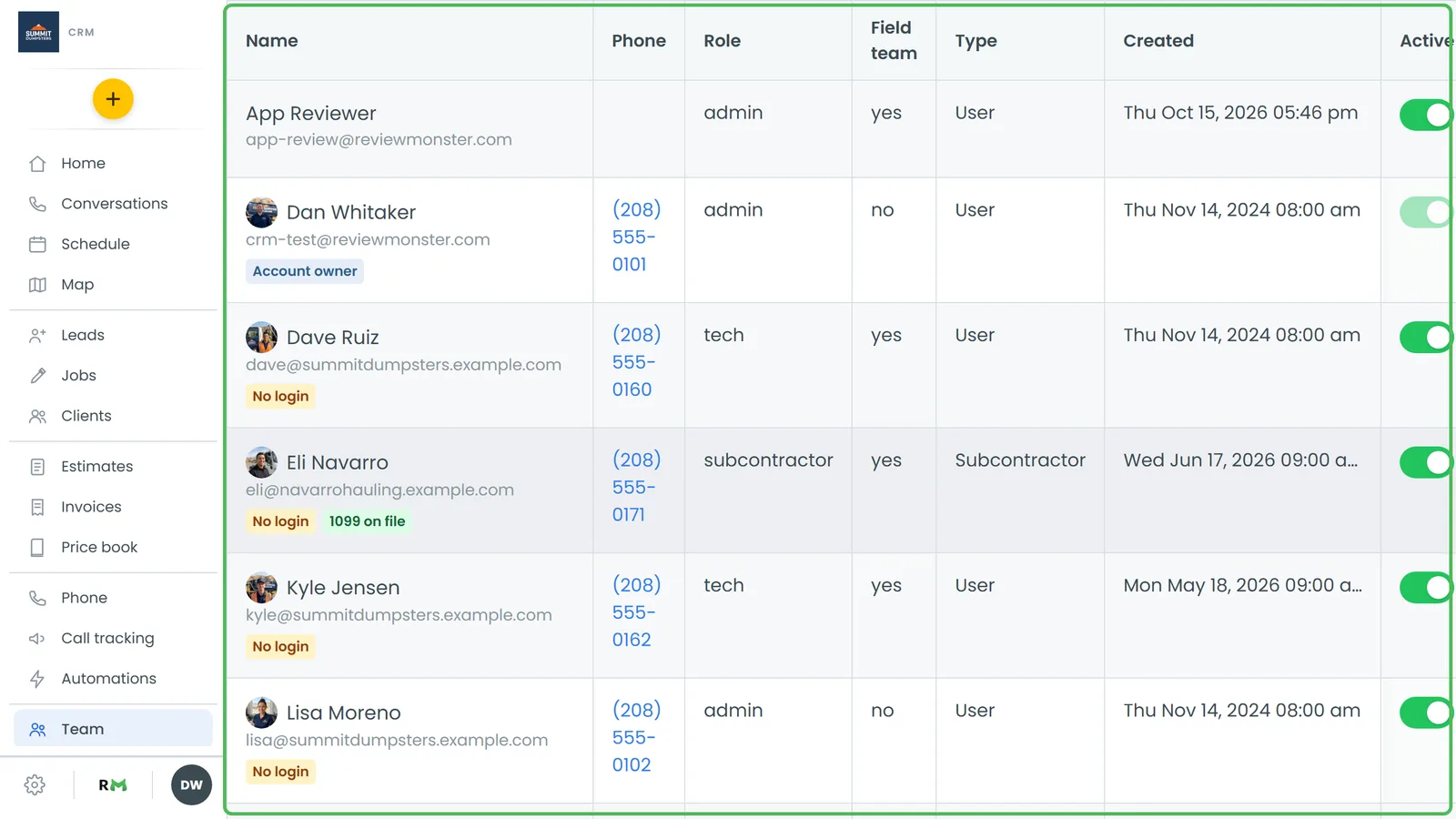
To open someone's profile:
- In the menu, click Team.
- Click the person's name in the list. Their User Profile opens.
Sending a password reset on the web
- On the person's User Profile, click Actions in the top right.
- Click Reset password.
A green message at the top of the page confirms it: Password email sent to followed by their email address.
The email goes to the address on their profile. When they open the link, they land on a Set New Password page, type a new password twice (at least 6 characters) and click Update Password. Their old password stops working once they do.
Sending a password reset on the phone app
- Open the menu and tap Team.
- Tap the person's card to open their profile.
- On the Profile tab, scroll to the bottom and tap Reset password (it sits next to Disable user).
A note at the top of the screen reads Password email sent to and their address.
When Reset password doesn't show up
The option only appears for someone who has a login. You won't see it for:
- People with a yellow No login tag on the Team list. There's no password behind their row to reset.
- Subcontractors. They don't sign in to the CRM at all.
Subcontractors and the crew portal
Subcontractors use the crew portal instead of a CRM login, and they pick their own password when they fill out the W-9 form. If they forget it, they can tap Forgot your password? on the crew portal's sign-in page. It texts a 6-digit code to their phone, and they enter the code with a new password (8 or more characters) and tap Set new password.
You can also send them a fresh login yourself. Go to Subcontractors, open the People tab and click Resend invite next to their name. This texts them a new password, and their old one stops working. Subcontractors is a feature you turn on first in Features.
Related articles
- How to reset your own password
- Logging in and out
- How to add team members
- How to customize your account settings