In this article, you'll learn how to stop the CRM from attaching a PDF copy to the estimates you email. You might want this if you'd rather your customers open the estimate from its link, where they can look it over and approve or decline it, instead of reading a PDF.
To open your estimate settings:
- In the menu, click the Settings gear.
- Under Jobs & leads, click Estimates.
You can also get there from the Estimates list: click Estimates settings above the table.
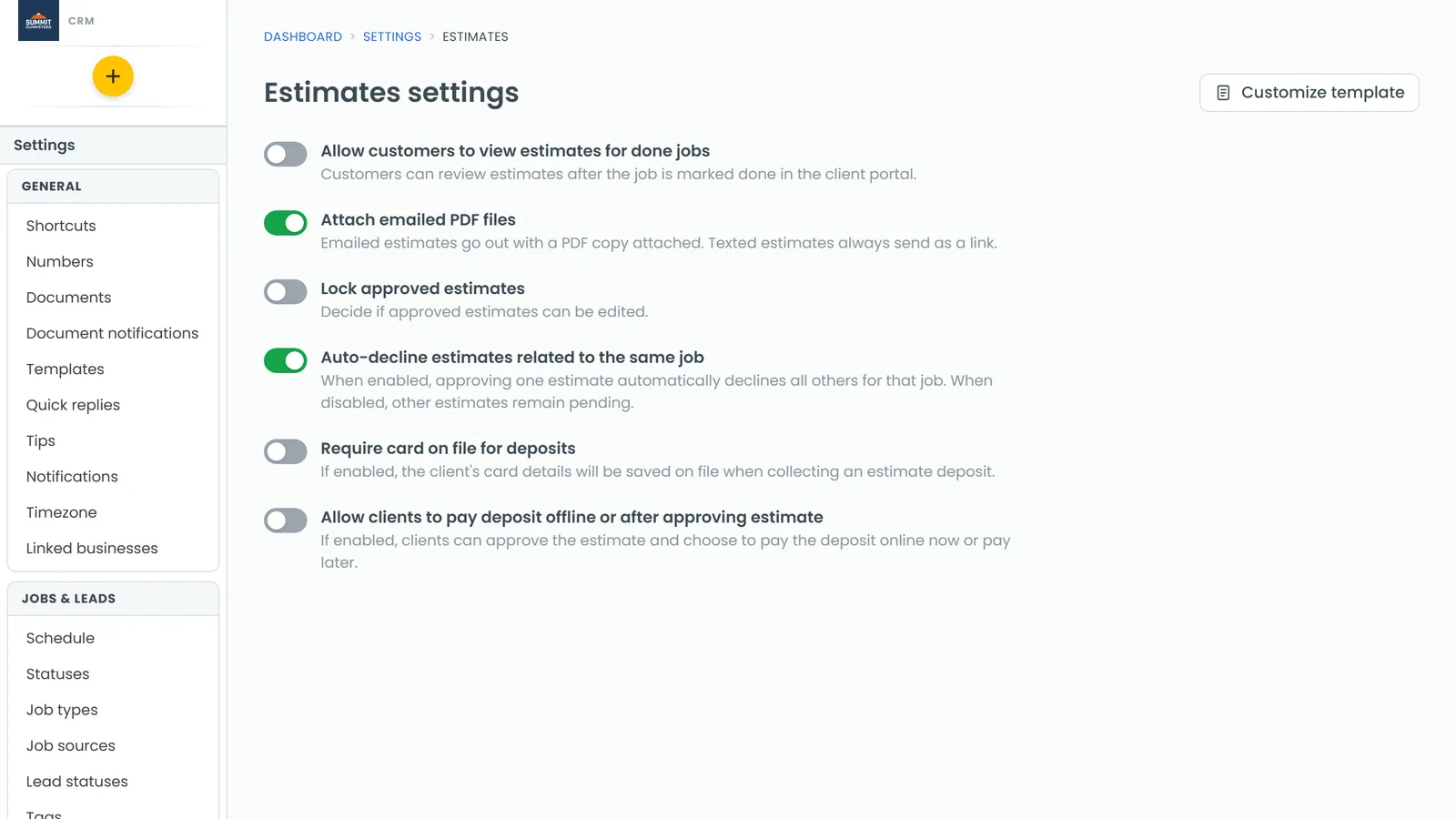
How emailed estimates work by default
When you email an estimate, the message carries a link to the estimate. It also carries a PDF copy of it, made from your estimate template. That's because Attach emailed PDF files is on for every company until you turn it off.
Texts work differently. A texted estimate is always just the link, whatever this switch says.
Turning off the PDF attachment
- Open Settings, then Estimates.
- Find Attach emailed PDF files. The note under it reads "Emailed estimates go out with a PDF copy attached. Texted estimates always send as a link."
- Click the switch so it turns grey.
That's it. There's no Save button. The switch saves as soon as you flip it. If it can't save, it flips back and a red note tells you why.
From then on, every estimate you email goes out with only the link to the estimate. To put the PDF back, flip the same switch on again.
On the phone app
The same switch is in the app. Open Estimates and tap Estimates settings at the top, or go to Settings, then Estimates. Flip Attach emailed PDF files off there. It's the same setting as on the web, so changing it in one place changes it in both.
What your customers see
With the switch off, the email has your message and the link to the estimate, and no file attached. When the customer opens the link, they see the estimate in your customer portal, where they can review it and approve or decline it.
Related articles
- How to create and send estimates
- What your customers see when you send an estimate
- How to download an estimate
- Customizing estimate, invoice and receipt templates
- Customer portal overview