In this article, you'll learn how to choose the tip amounts your clients are offered when they pay, and how to turn the tip prompt off altogether. Picking amounts that fit your work makes it easier for clients to say yes, and easier for your crew to earn a little more.
Out of the box, clients see 10%, 15% and 20%, plus No Thanks and Custom. You can swap those three percentages for any three of 5%, 10%, 15%, 20%, 25% and 30%.
To open the tip settings:
- At the bottom of the menu, click the gear icon to open Settings.
- Under General, click Tips.
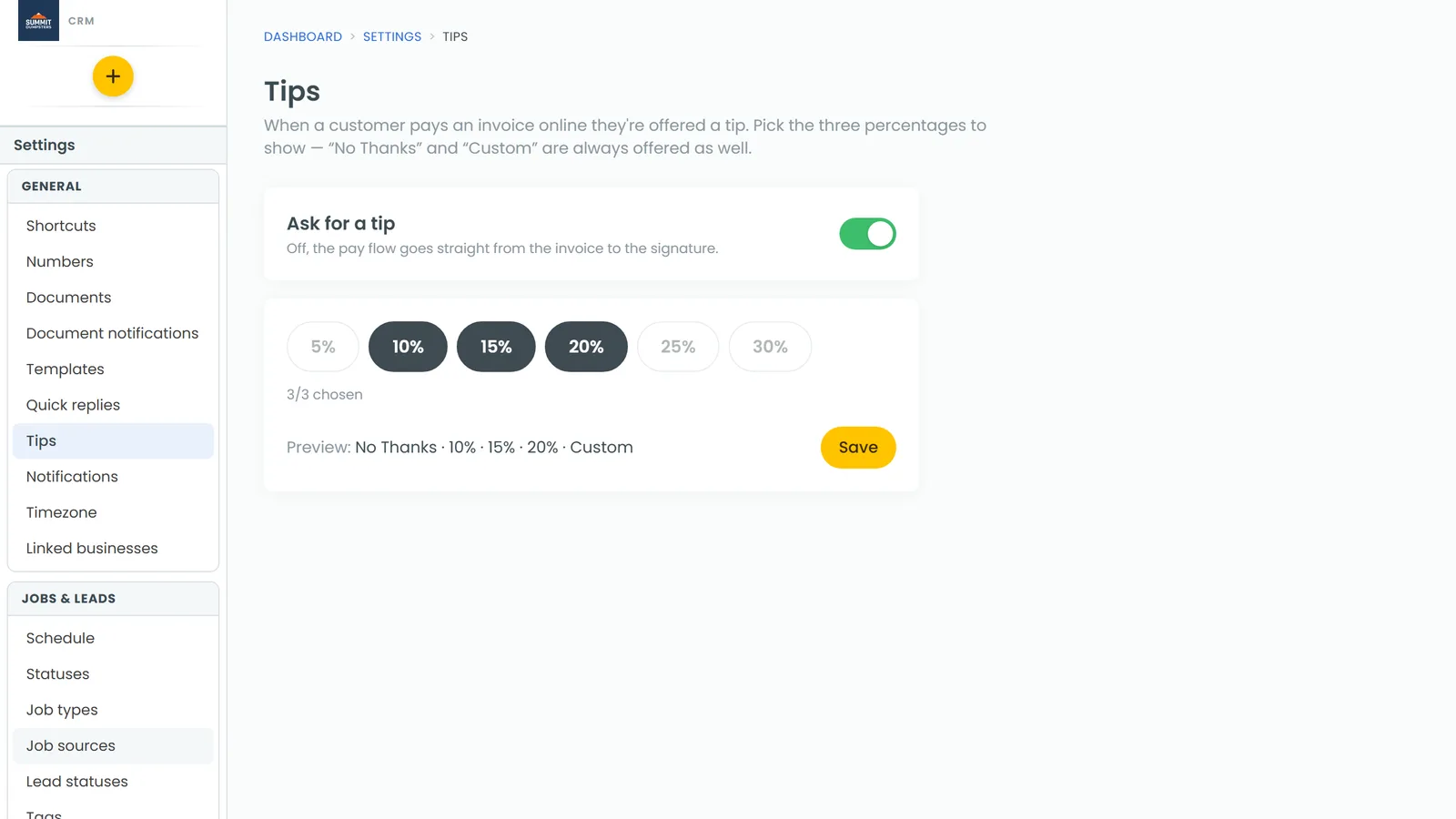
Turn the tip prompt on or off
The Ask for a tip switch at the top of the page decides whether clients are asked for a tip at all. It saves the moment you flip it.
- Open Settings › Tips.
- Click the Ask for a tip switch.
When it's off, the pay flow skips the tip step and goes straight from the invoice to the signature. The percentage picker below greys out, but your choices are kept for when you turn it back on.
Choose your three tip amounts
- Open Settings › Tips.
- Click a highlighted percentage to deselect it.
- Click the percentage you want instead. You can only have three picked at once, so the others stay greyed out until you deselect one.
- Check the count under the buttons. It should read 3/3 chosen.
- Look at the Preview line. It shows the order clients will see, for example No Thanks · 15% · 20% · 25% · Custom.
- Click Save. You'll see Saved next to the button.
No Thanks and Custom are always shown alongside your three picks. Custom lets the client type in any amount.
Change it from the phone app
The same settings are in the phone app.
- Open the menu and tap the gear icon at the bottom.
- Under General, tap Tips.
- Use the Ask for a tip switch and the percentage buttons the same way, then tap Save.
Where clients see your tip amounts
- Paying an invoice online. When a client pays an invoice from their customer portal, the tip step shows No Thanks, your three percentages and Custom.
- Tap to Pay on the phone app. After the payment summary, the client is asked "Would you like to add a tip?" with your three percentages, Custom tip amount and No tip. If Ask for a tip is off, this screen is skipped.